Submitting a Ticket
Submitting a Ticket
You may submit a ticket for one of the follow reasons:
- Questions about your online accounts
- Questions about your device
- Issues with your device
- Issues with your online accounts
- Reporting damages
- App/Feature requests
Staff - Submitting a Ticket
The following is instructions for staff to submit a ticket via email
Follow this link to fill out the Google Form:
https://forms.gle/arGueLLFn8tGSPp2A
Details to include:
Please include as many details and any trouble shooting steps you have taken in your email.
- Description of your issue
- Screenshots / pictures
- Once your ticket has been replied to you will be able to attach an image
- Things you have tried to fix the issue
Example Ticket:
Wifi in my classroom is not working. It is affecting students only. Their iPads say the wifi is connected, but nothing loads.
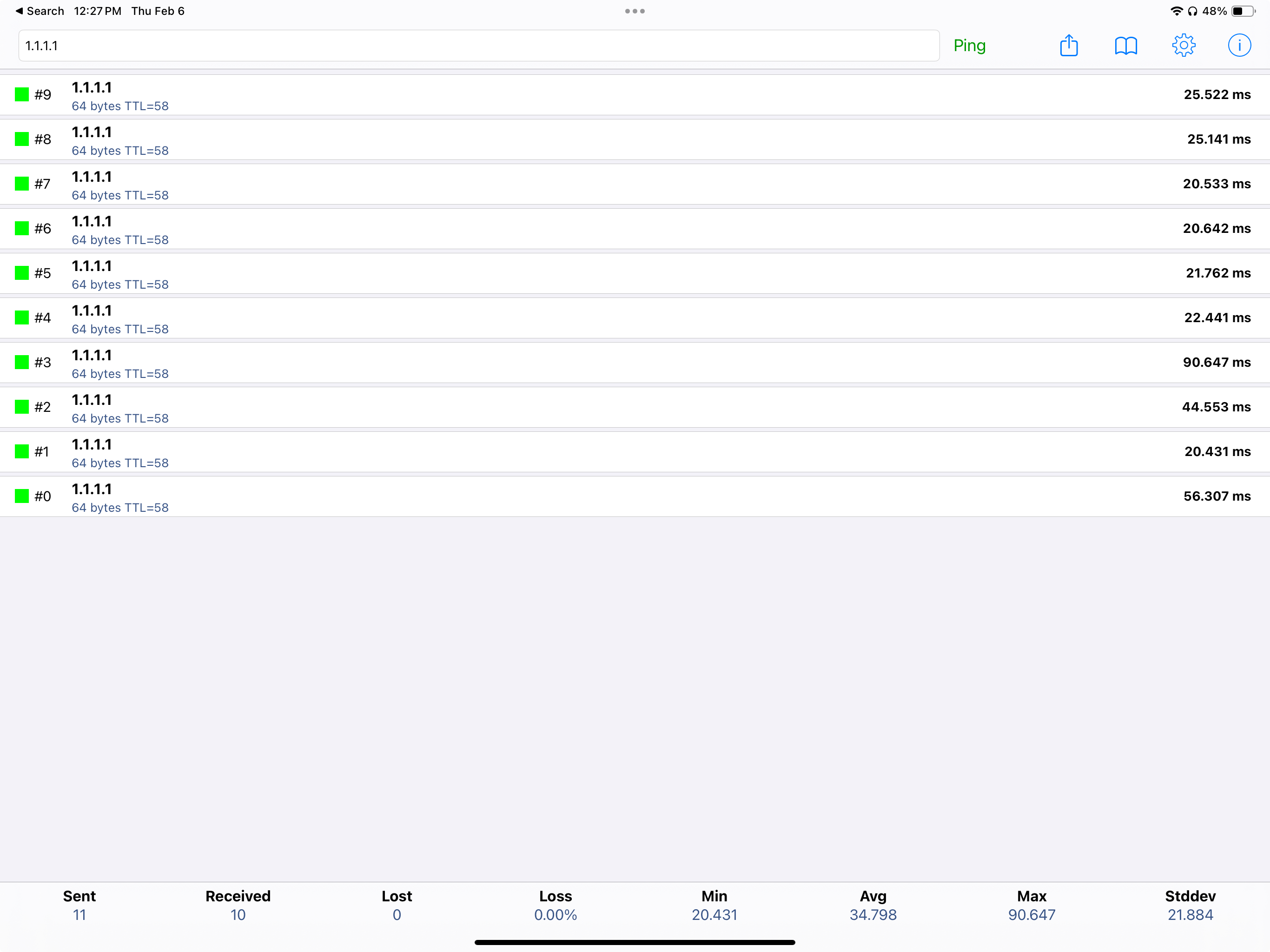
I have had them turn their wifi off and back on, even restarted iPads, but no luck. We tried the Ping App and they are not able to ping yahoo.com but can ping 1.1.1.1 and get responses.
Thank you for your help!
Example Screenshot:
Students - Submitting a Ticket
The following are instructions for students to submit a ticket via email
Fill out the Google Form here:
https://forms.gle/yu86MqbsM8tg7ezS9
Details to include:
Please include as many details and any trouble shooting steps you have taken in your email.
- Description of your issue
- Screenshots / pictures
- When your ticket is received and a reply sent then you will be able to share an image.
- Things you have tried to fix the issue
Example Ticket:
I am in Mr. ________ class 4th hour and my login to the class materials isn't working in Clever.
Thank you for your help!